


If your connection is completely dead, it could be a DNS problem.
There are some simple tests you can run that collect data which will help you, or your internet provider diagnose the problem.
DNS is the Internet’s address book. It translates hostnames like example.com into the IP addresses your computer needs to reach the correct server.
When DNS breaks, it affects everything on your device (or network) that uses the Internet.
In a terminal window, on either Windows, Mac or Linux, type in:
nslookup example.com
If it returns one or more IP addresses, DNS is working.
For further evidence, run a traceroute.
Traceroute checks the full path from where you're connecting FROM to where you're connecting TO.
Traceroute can be used with both IP addresses AND hostnames. If the former works, but not the latter, it's another sign of a problem with DNS.
We have a detailed page explaining how to use traceroute, but the simple version is:
On Windows, in a command prompt, type:
tracert 8.8.8.8
then try
tracert google.com
On Mac/Linux, in a terminal, type:
traceroute 8.8.8.8
then try
traceroute google.com
Run it a few times, noting the differences between using IP and hostname, and keep a log of the results for your ISP to review.
Note: We're using Google's servers here because we know they're very likely to be up and running, but you can use any IP address/hostname on a traceroute.
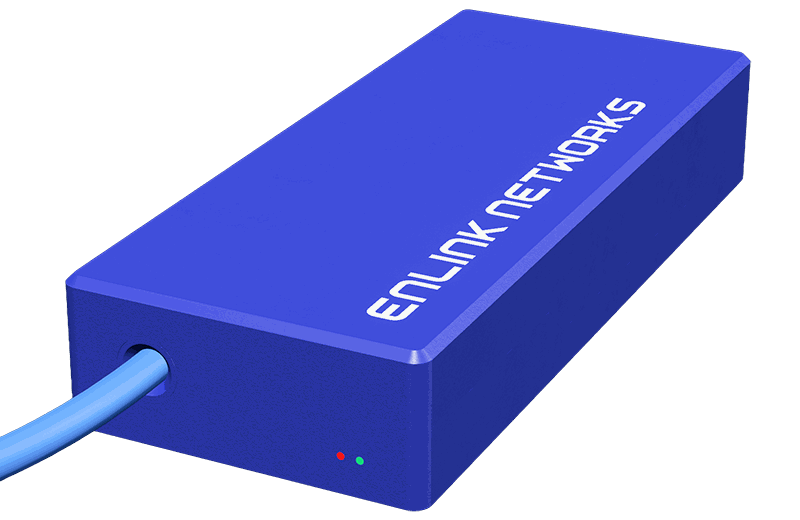
Meet the Little Blue Box™.
Designed in-house, and available exclusively for our Managed by Enlink customers, it simply plugs into your router and gets to work, monitoring your network in real time. So if something goes wrong, we can quickly pinpoint the fault — whether it's at our end or yours.
Enquire for more details